AI Employees

Capture Demand and Support Customers Without Increasing Administrative Workload at the Same Rate

Customers expect a clear response when they contact your organization. AI Employees can support routine conversations, collect useful information, qualify requests, assist with scheduling, update connected workflows, and escalate situations requiring employee attention.

Customer Engagement Journey
Customer Contact
→
AI Conversation
→
Qualification
→
Scheduling
→
Workflow Update
→
Human Escalation
PhoneWebsiteMessageInquiry
Capture More Qualified Demand
Improve Customer Response
Reduce Repetitive Communication
Protect Employee Capacity
Improve Workflow Visibility
Cost of Unanswered Demand

Customer Demand Has Value Only When the Business Can Respond

Calls, inquiries, questions, and appointment requests may arrive while employees are already helping other customers, completing work, coordinating schedules, or operating outside normal office availability. When response depends entirely on immediate employee availability, qualified demand may remain unanswered or receive delayed follow up.

Current Path

Demand gets delayed
Customer contacts your business
No employee is immediately available
Call goes to voicemail or the customer waits
Response is delayed or never happens
The customer may continue searching
Lost opportunitiesUnanswered demand can mean lost revenue, future business, and customer trust.

Improved Path

Turn inquiries into opportunities
Customer contacts your business
Immediate engagement collects key information
The inquiry is routed to the right next step
An employee is notified when needed
The customer receives a faster, more consistent experience
More capacity, stronger relationshipsCapture more demand, improve response time, and deliver a more consistent customer experience.

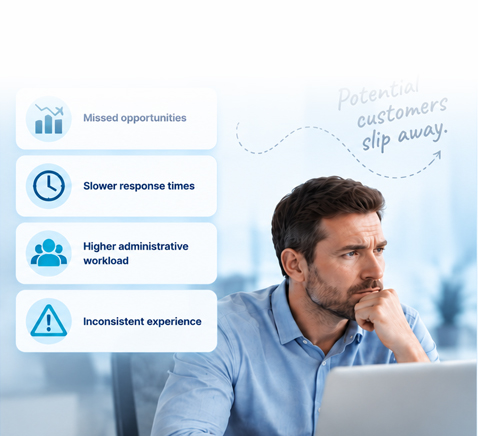
Missed Opportunities

Calls, leads, and customer requests may go unanswered or receive slow follow up.

Administrative Pressure

Employees may be required to stop productive work repeatedly to handle routine questions.

Inconsistent Customer Experience

Response quality and speed may vary according to workload, time of day, and employee availability.

A faster, more consistent response helps qualified demand move forward.

Current Operating Model

The Traditional Model Requires an Employee to Be Available for Every Interaction

Common Current Approach

Customer calls or submits an inquiry. An employee becomes available. Routine information is collected manually. Questions are answered repeatedly. Qualification and scheduling depend on employee time. Information may be entered into another system manually. Follow up depends on individual workload.

Employee managing customer communication and administrative work

Possible Result

Missed demand, slow response, repetitive administrative work, inconsistent information collection, delayed scheduling, manual system updates, more interruptions for skilled employees, and limited visibility into where opportunities stall.

Business professional considering operational challenges
What an AI Employee Can Handle

Automate Routine Customer Work While Keeping People in the Decisions That Need Them

Respond to Routine Customer Questions

Support common inquiries using approved business information and defined workflows.

Collect Useful Information

Gather the information needed to determine the appropriate next step.

Qualify Requests

Apply defined business rules to help identify what type of inquiry or opportunity has entered the organization.

Support Scheduling

Help move appropriate requests toward an available appointment or next action.

Update Connected Workflows

Move relevant information into approved business processes or connected systems where the implementation supports it.

Escalate to an Employee

Route situations requiring judgment, expertise, authorization, sensitivity, or personal attention to the appropriate person.

Inbound Calls and Questions

Routine Customer Questions Should Not Require Immediate Employee Attention Every Time

Routine conversations can move through a consistent process while questions requiring professional judgment, authorization, specialized knowledge, or personal attention are directed to the appropriate employee.

Customer Contact
→
AI Conversation
→
Question Identified
→
Approved Information Used
→
Response or Next Step
Employee Escalation When Needed

Routine Information

Business hours, location information, service availability, appointment questions, basic process questions, and next step questions can follow approved workflows.

Organized customer information and intake materials

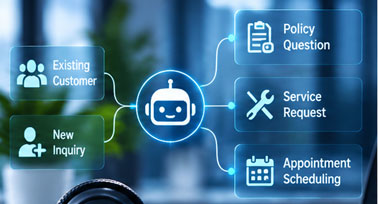
Customer Routing

Existing customer needs and new customer inquiries can move toward the appropriate next action.

Customer inquiry and routing workflow

Human Judgment

The AI Employee is designed to involve people when the conversation requires judgment, expertise, authorization, or personal attention.

Professional reviewing information that requires human judgment
Qualification and Information Collection

Better Customer Response Begins With Better Information

The exact information collected should depend on the industry and approved business process rather than a single universal script.

Customer
→
Contact Information
→
Reason for Contact
→
Relevant Context
→
Urgency or Priority
→
Business Rules
→
Appropriate Next Step

Consistent Questions

Defined information can be requested in a consistent sequence.

Structured intake information

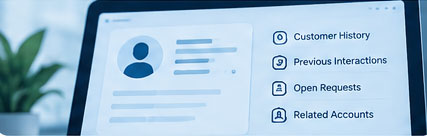
Better Context

Employees can receive more useful context before becoming involved.

Customer context

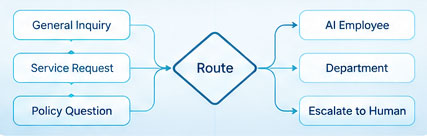
Appropriate Routing

Requests can follow different paths based on approved business rules.

Customer routing

Reduced Repetition

Customers may not need to repeat basic information several times.

Customer routing

Human Review

Situations outside the defined process can be escalated.

Customer routing
Human Judgment Boundary

Business Rules Handle Routine Routing. People Handle Decisions That Require Judgment.

Routine Request

Defined rules guide the request into the appropriate workflow.

Complex or Sensitive Request

The request moves to employee escalation rather than unrestricted automated decision making.

Scheduling and Reminders

Qualified Demand Should Move Toward the Next Action Without Unnecessary Friction

The objective is helping qualified demand move forward while reducing repetitive coordination.

Qualified Request
→
Availability or Defined Next Step
→
Customer Selection
→
Confirmation
→
Reminder
→
Appointment or Employee Action

Scheduling Requests

Support appointment requests, selection, confirmation, and defined next steps.

Routine Reminders

Support approved reminder and rescheduling pathways where appropriate.

Exception Handling

Notify employees when the customer situation falls outside the routine path.

CRM and Workflow Updates

Customer Information Should Move Into the Business Process

The operating value is reducing duplicate entry, improving information consistency, creating clearer ownership, and helping employees understand what happens next where supported by the approved implementation.

Customer Conversation
→
Useful Information
→
Approved Business System
→
Workflow Created or Updated
→
Employee Visibility
→
Next Action

Specific platform compatibility depends on the implementation. This page does not guarantee support for every business application.

Human Escalation

The AI Employee Should Know When the Workflow Needs a Person

Human involvement is an intentional part of the operating model, not an afterthought.

AI Conversation
→
Routine Path Continues
or
Escalation Trigger
→
Employee Receives Context
→
Human Interaction

Specialized Help

Route the customer to the appropriate employee when specialized knowledge is needed.

Outside Defined Rules

Escalate for review when a request does not fit the approved workflow.

Sensitive Situation

Move the interaction into the appropriate human process.

Customer Requests a Person

Provide the defined employee pathway.

Professional Judgment

Escalate rather than automate decisions that require expertise or authorization.

Operating Exception

Notify the appropriate employee or team with the available context.

AI Employees and Workflow Automation

AI Employees Handle the Interaction. Workflow Automation Helps Move the Work Forward.

Customer Conversation
→
AI Employee
→
Information Collected
→
Workflow Automation
→
Business System Update
→
Employee Task
✉
Customer Follow Up

AI Employees

Primarily support customer communication, information collection, qualification, scheduling, and escalation.

Workflow Automation

Primarily supports repetitive internal actions, notifications, system updates, handoffs, approvals, and information movement.

Industry Use Cases

Apply Customer Automation Where It Supports the Operating Objective

Professional Services

Protect valuable professional time while improving customer responsiveness through intake, routine questions, appointment coordination, information collection, and employee escalation.

Healthcare

Improve access and reduce administrative workload through routine patient questions, scheduling requests, reminders, information collection, and appropriate employee escalation.

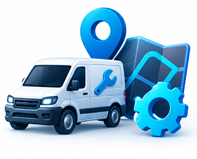
Field Services

Capture demand, improve response, and move qualified opportunities toward the field through service inquiries, urgent calls, after hours communication, qualification, scheduling, and human escalation.

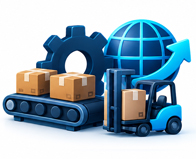
Manufacturing and Logistics

Explore appropriate business communication or administrative use cases through discovery without forcing AI Employees into unsupported production processes.

Field Services Spotlight

Built for the Moments When Customer Demand Arrives Faster Than Employees Can Respond

HVAC Contractors

Seasonal demand and after hours inquiries.

Plumbing Contractors

Urgent calls and customer routing.

Roofing Contractors

Storm demand, qualification, and inspection scheduling.

Multi Location Auto Repair

Service calls and consistent customer engagement across locations.

Protect Employee Capacity

AI Employees Should Create Capacity for People, Not Make People Less Important

Protect employee capacity for the interactions and decisions where people create the most value.

Employee Time Today

Routine questions, information collection, scheduling coordination, repeated follow up, system updates, and customer escalation can consume valuable time.

Improved Operating Model

The AI Employee supports routine activity so employees can focus on exceptions, higher value interactions, and decisions requiring human judgment.

Governance and Security

Customer Automation Needs Defined Rules, Access, and Escalation

Approved Information

Define the information an AI Employee can use in customer interactions.

Defined Workflows

Establish which actions the AI Employee is permitted to support.

Access

Control connections to approved business systems appropriately.

Human Escalation

Define which situations must move to employees.

Sensitive Information

Understand whether a workflow may involve information requiring additional controls.

Review

Evaluate the operating process as the implementation evolves.

AI Employees should not be presented as guaranteeing privacy, security, or regulatory compliance.

Relationship to AI Shield

AI Employees Improve Customer Workflows. AI Shield Helps Address AI Governance and Sensitive Information.

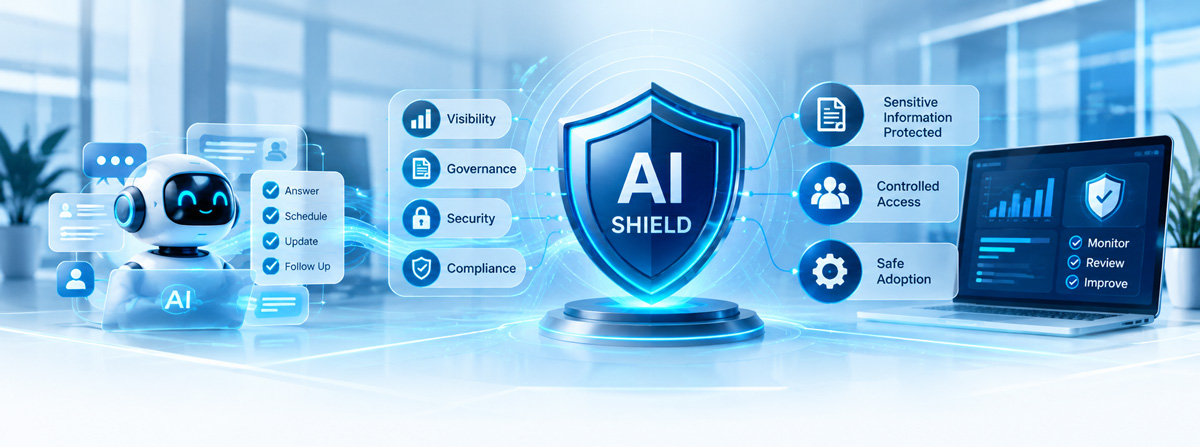
AI Employees belongs to Revenue and Customer Experience. AI Shield is a separate focused platform for safer business use of AI, governance, sensitive information, prompt visibility, and controlled adoption.

Need Greater Visibility and Governance Around Employee AI Use?

Explore AI Shield as a separate governance focused offering.

KeenPlex Operating Model

We Begin With the Customer Response Constraint, Not the AI

Identify the Operational Constraint

Understand where customer communication, response, qualification, scheduling, or workflow handoffs may be breaking down.

Validate the Business Impact

Determine how the current condition may affect revenue opportunity, employee capacity, customer experience, or operating consistency.

Design the Improved Workflow

Define how the customer interaction should move from initial contact through the appropriate next step.

Implement the Right Technology

Apply AI Employees, Workflow Automation, integration, and other capabilities only where they support the improved operating model.

Measure the Operating Result

Use available evidence to understand whether response, workflow, or capacity conditions improve.

Implementation Process

Build the Customer Experience Around Approved Conversations, Actions, and Escalation

This process applies the KeenPlex operating model without promising fixed implementation times or universal integration support.

Understand the Business Objective

Clarify the result leadership is trying to improve.

Map the Customer Journey

Understand how the interaction works today.

Define Approved Conversations and Actions

Specify what the AI Employee can handle and what requires a person.

Connect the Required Workflow

Identify approved systems, notifications, scheduling, and process connections.

Test the Experience

Validate customer paths, exceptions, and escalation.

Measure and Improve

Review operating evidence and refine the workflow.

Expected Business Outcomes

AI Should Improve Customer Response Without Creating More Administrative Work

These outcomes are informed hypotheses until customer specific evidence validates them.

More Consistent Customer Response

AI Employees may help reduce response gaps.

Better Information Before Employee Involvement

Consistent information collection can help employees receive better context.

More Structured Qualification

Structured qualification creates the ability to route customer requests more consistently.

Improved Scheduling Coordination

Scheduling support may reduce repetitive coordination.

Reduced Repetitive Communication

Routine conversations may consume less immediate employee attention.

Better Workflow Visibility

Workflow updates can help reduce duplicate information entry where supported.

Evidence and Measurement

Measure the Operating Condition Before Claiming the Result

Incoming Contacts
→
Response Conditions
→
Missed Contacts
→
Qualification Outcomes
→
Scheduling Activity
→
Escalation Activity
→
Workflow Completion
→
Employee Involvement
→
Follow Up Gaps
→
Recommended Starting Point

Where Is Qualified Demand Being Lost Before It Becomes Revenue?

Before implementing customer automation, examine where contacts are missed, response is delayed, qualification becomes inconsistent, scheduling stalls, follow up breaks down, or employee capacity becomes overloaded.

Customer Contact
→
Response
→
Qualification
→
Scheduling
→
Follow Up
→
Revenue Opportunity
Request a Revenue Capture Assessment →
Revenue Capture Assessment Preview

Understand Where Demand, Response, and Capacity Are Breaking Down

Missed Contacts

Understand where customers may not receive timely response.

Response

Review what happens between initial contact and active engagement.

Qualification

Examine how information is gathered and opportunities are routed.

Scheduling

Understand how qualified demand moves toward the next step.

Follow Up

Identify where customer opportunities may stall.

Capacity

Review the relationship between demand and employee availability.

Frequently Asked Questions

AI Employee Questions

What is an AI Employee?

An AI Employee is a customer interaction capability designed to support routine conversations, collect information, qualify requests, assist with scheduling, update approved workflows where supported, and escalate situations requiring a person.

What types of customer conversations can an AI Employee support?

It can support approved routine questions, information requests, scheduling activity, qualification, and routing based on defined business processes.

Can an AI Employee answer inbound calls?

It can support inbound customer conversations where the implementation and approved workflow include that channel.

Can it collect customer information and qualify an inquiry?

Yes, when the required information and qualification rules are clearly defined for the business process.

Can it help schedule appointments and send reminders?

It can support scheduling, confirmation, routine reminders, and defined next steps where the connected workflow supports those actions.

Can it update our business systems?

It can update approved workflows and connected systems where the implementation supports them. Specific platform compatibility should be verified during discovery.

What happens when the AI Employee cannot handle a request?

The workflow should escalate the interaction to the appropriate employee with the available context.

Can customers speak with a person?

Yes. Human escalation is an intentional part of the operating model for customer preference, exceptions, sensitive situations, and decisions requiring judgment.

How is sensitive information handled?

The implementation should define approved information, access, workflows, escalation, and any additional controls required for sensitive information.

What is the difference between an AI Employee and Workflow Automation?

AI Employees primarily support customer interaction. Workflow Automation primarily helps move repetitive internal actions, notifications, updates, handoffs, and information forward.

What is the difference between AI Employees and AI Shield?

AI Employees supports customer workflows. AI Shield is a separate offering focused on governance, sensitive information, prompt visibility, and safer business use of AI.

Which industries are the best fit for AI Employees?

The strongest documented use cases are Professional Services, Healthcare, and Field Services, with Field Services receiving particular emphasis in the current website strategy.

What should we assess before implementing an AI Employee?

Review missed contacts, response conditions, qualification, scheduling, follow up, employee capacity, current workflows, and the situations that require human escalation.

Related Resources

Practical Guidance for Customer Automation

What Should an AI Employee Handle?

A practical guide to defining routine conversations, approved actions, and escalation.

When Should an AI Employee Escalate to a Person?

How to design intentional human involvement into the customer workflow.

How Can Businesses Reduce Missed Customer Calls?

Explore response conditions, customer routing, and employee availability.

What Information Should Be Collected Before Scheduling?

Define the context employees need before a qualified request moves forward.

AI Employees Versus Workflow Automation

Understand how customer interaction and internal workflow movement can work together.

How Should Businesses Measure Revenue Capture Before Automation?

Review missed contacts, response, qualification, scheduling, follow up, and capacity before making performance claims.

Next Step

Where Is Customer Demand Being Lost or Creating Unnecessary Administrative Work?

Start with the current operating condition. KeenPlex Technologies can help identify where customer response, qualification, scheduling, follow up, and employee capacity may be limiting performance before deciding where AI Employees should be used.

Customer Contact
→
AI Conversation
→
Qualification
→
Scheduling
→
Workflow Update
→
Human Escalation